Rebuilding an Enterprise Automotive Platform from .NET to Next.js, in One Switch
October 12, 2026 · updated October 15, 2026 · 3 min read

The starting point
The platform was a large, public-facing automotive website with a booking flow, calculators and a dealer-search tool. It was built on .NET and C#, and it had the problems that show up in older enterprise sites: pages were slow, builds and releases took a long time, and the code was hard to change and hard to hire for. Every small change cost more than it should have.
The decision
We rebuilt the frontend on Next.js 13 with a Node.js layer. The reasons were practical:
- Faster pages and better SEO: server rendering gives users a ready page and gives search engines clean HTML.
- Faster builds and releases: a modern pipeline replaced the slow .NET one.
- Easier hiring and upkeep: React and Node.js are widely known, so the team could grow and the code could be maintained.
- Reusable components: the booking flow, calculators and dealer search share one component library, so each feature isn't rebuilt from scratch.
The hard parts
Reusing the database. We kept the same database but gave it a new structure for the new application. That avoided a risky data move, but it meant mapping the old data carefully so nothing broke or went missing.
Protecting SEO and URLs. A site this size has years of search ranking behind it. The old URLs had to keep working, or redirect to the right new page, so that traffic wouldn't drop on launch day.
A single-day cutover. We didn't move the site in parts. We built the new platform in parallel and switched everything at once. That is a big commitment, and it needed enough testing, a rehearsed plan and a way back if something went wrong.
What we built on the frontend
The rebuild was not only a change of stack. The frontend also carried the parts of the experience that make a site feel modern:
- Motion with GSAP. Animations were built with GSAP, which gave us fine control over timing and sequences.
- Video with Video.js. Videos hosted on YouTube played through Video.js, so the site had one consistent player instead of scattered embeds.
- A 360° product view. Visitors could rotate the product on screen, built entirely on the frontend.
- Lazy loading. Images, videos and heavier widgets such as the 360° view loaded only when they were needed, so the first page load stayed light.
As frontend lead, the trade-off I kept in front of the team was simple: every animation, video and interactive feature has to earn its place against page speed. That is why lazy loading mattered as much as the features themselves.
How we worked
I led the frontend delivery, and I also had other accounts to look after, so the plan had to be clear enough to run without me in every conversation. I worked with the backend team on creating and integrating the APIs, agreeing on the contracts early so the frontend and backend could progress together and join up smoothly at the end.
The result
- Pages load about 40% faster than on the old site.
- Build times dropped by about 30%, and releases are quicker.
- SEO and traffic held up through the switch, with no major drop.
- The team now works on a mainstream stack that is easier to maintain and hire for.
What I'd tell a team planning the same thing
- Keep the database if you can. Change the structure around it, not the data itself.
- Write down every important URL before you start, and check them after launch.
- A one-day switch works only if you've rehearsed it and have a rollback.
- Agree the API contracts with the backend team first. It saves the most time later.
- Treat rich media as a budget: lazy-load what is below the fold, and load heavy widgets like a 360° viewer only when the visitor needs them.
Related posts
January 18, 2024 · 5 min read · Web Development
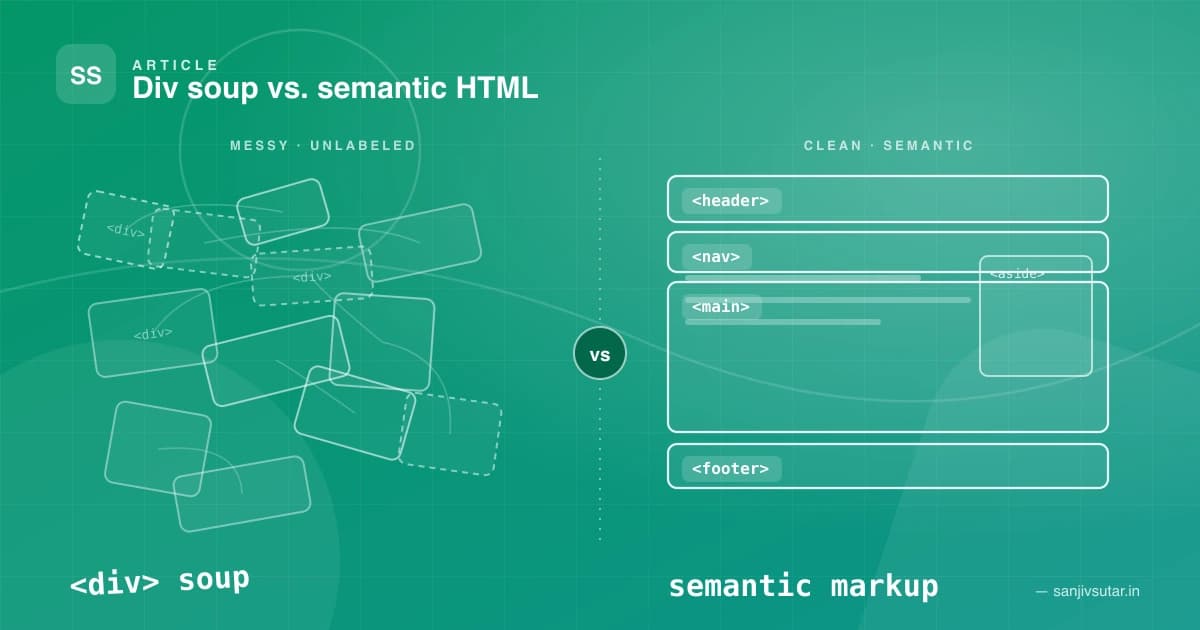
The Importance of Semantic HTML: Why Your Divs Are Costing You More Than You Think
Semantic HTML isn't just a 'nice to have' — it's the backbone of accessible, SEO-friendly, and maintainable web applications. Here's why div-soup is quietly hurting your projects, and how a handful of meaningful tags can fix it.

May 5, 2023 · 4 min read
How to Fix the "window is not defined" Error in Next.js 13
Getting "window is not defined" in your Next.js 13 app? Here's why it happens with server-side rendering and four reliable ways to fix it, with code examples.
Platforms I've helped build for










Kind words
Don't just take my word for it
Notes from teammates and client stakeholders I've worked alongside.
Had the pleasure of working closely with Sanjiv, and he is an exceptional leader who seamlessly bridges high-level strategy with deep technical execution.
Sanjiv excels in technical problem-solving—when complex, high-stakes engineering or architectural challenges arise, he is the person you want in the room. He approaches problems analytically, quickly getting to the root cause and devising elegant, scalable solutions.
Beyond his technical acumen, Sanjiv is a standout leader in solution delivery and team management. He has a proven ability to align cross-functional teams, streamline processes, and keep project milestones on track without sacrificing quality. His clear communication, structured approach, and genuine investment in supporting team members make him a trusted partner and a pillar on any team.
I highly recommend Sanjiv to any organization looking for a strong technical strategist and reliable leader who consistently delivers results.

Aman Kumar Sinha(LinkedIn profile, opens in a new tab)
Senior Product Manager at Merkle Sokrati · Oct 2026